


How to Add a Personalized Name or Monogram to a Shirt
CREATIVATE Education
May 14, 2025
A small embroidered name or monogram is one of the easiest ways to make a shirt feel custom and special — whether it's a gift or a personal touch for yourself. It looks like it came straight from a tailor, but it's surprisingly quick to do.
Choosing What to Embroider
You can keep it simple with a single initial, go with a classic monogram, or stitch a full first name — and sometimes a last name, too. The best choice usually comes down to the length of the name and the size of the font you're working with. Shorter names give you more flexibility; longer names may need a smaller font or a wider placement area.
Choosing a Font
Creativate Embroidery Software includes many small fonts well suited to shirt embroidery. When choosing, think about the personality of the person wearing it — a clean serif font feels traditional and polished, while a script or casual font feels more playful and personal.
If you'd like even more options, additional monogram fonts and designs are available in the Design Catalog.
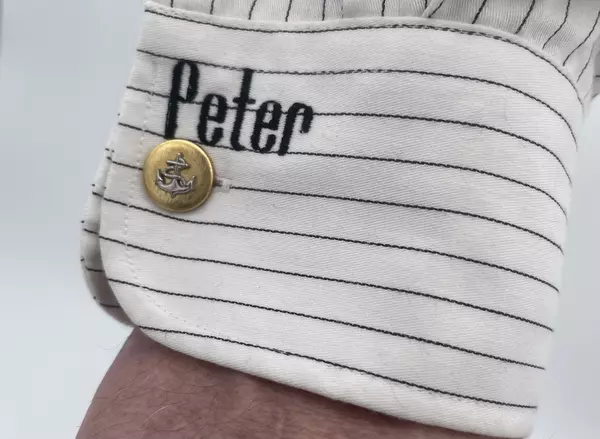
Placement — Getting It Just Right
Cuff embroidery is a classic detail traditionally found on tailor-made shirts, but it works just as beautifully on any off-the-shelf piece. On shirts with stripes or checks — the most common patterns in men's shirts — precise, straight placement is everything. Even a slight angle will stand out against the fabric's lines.
This is where the Positioning feature comes in:
- Husqvarna Viking machines — use Designs Positioning
- Pfaff machines — use Precise Positioning
Both tools let you align your embroidery exactly where you want it, so the result looks intentional and professional.
One Setting Worth Changing
Tip: Before you begin stitching text, turn off the Automatic Jump Stitch Trim. This keeps the underside of your embroidery neat and tidy — a small change that makes a big difference, especially on lightweight shirt fabrics where the wrong side may occasionally be visible.