


Vytvořte blok „Spiro Quilt“ pomocí Quilt Block Wizard
CREATIVATE Vzdělávání
15. července 2025
Vytvořte blok „Spiro Quilt“ pomocí Quilt Block Wizard
Nástroj „ Quilt Block Wizard “ a nástroj „Spiro“ tvoří překvapivě účinnou kombinaci. Výsledek vypadá složitě a propracovaně – ale jak uvidíte, vznikne pouhými několika jednoduchými kroky. Je to skvělá technika, kterou se vyplatí mít ve svém arzenálu pro šití patchworkových bloků, dekorativních panelů nebo jakéhokoli projektu, který vyžaduje působivý geometrický vzor.
Co budete potřebovat
- Creativate Extra nebo Elite (Windows nebo Mac)
Pokyny
Vytvořte design Spiro
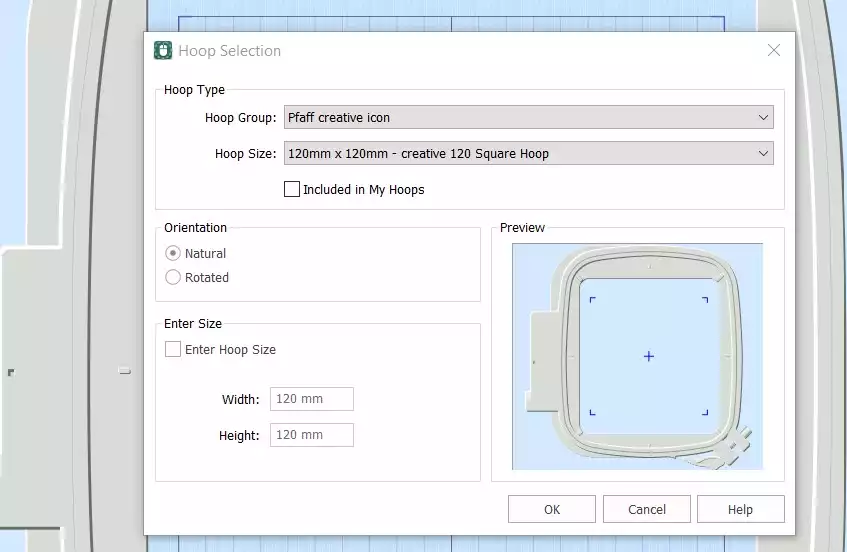
- Otevřete stránku Creativate Embroidery Software a vyberte Prázdné plátno, a nastavte velikost obruče na 120 mmKlikněte OK.
- Přejděte na Karta Vytvořit a klikněte na Spiro. Jakmile se dialogové okno otevře, nastavte velikost na 100 mm a klikněte na NáhodněKlikněte OK na varovnou zprávu – vygeneruje se nový Spiro. Pokračujte v klikání Náhodně dokud nenajdete vzor, který se vám líbí. Pomocí úchytů můžete tvar také ručně doladit. Klikněte OK až budete hotovi.
Tip: Chcete-li získat kompletního průvodce průvodcem Spiro, zadejte do vyhledávacího pole v programu Studio slovo „Spiro“.
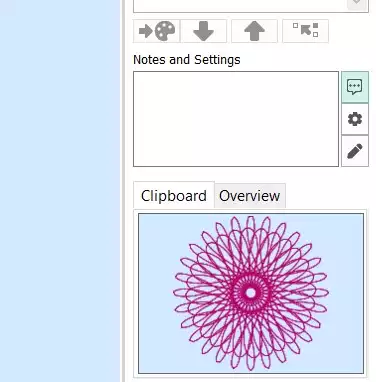
- Přejděte na kartu „Domů“ a klikněte na „Kopírovat“. Spiro se nyní uloží do schránky.
Sestavte blok pro patchworkovou deku
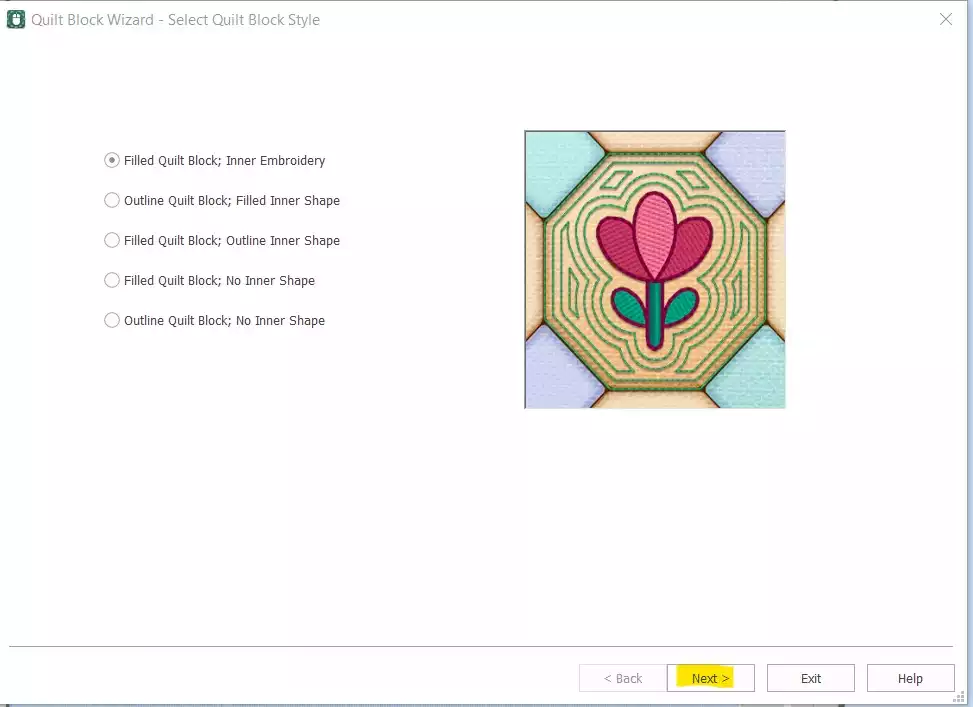
- Přejít na Vytvořit → Blok pro patchwork a select Vyplněný blok pro patchwork: vnitřní část EmbroideryKlikněte Další.
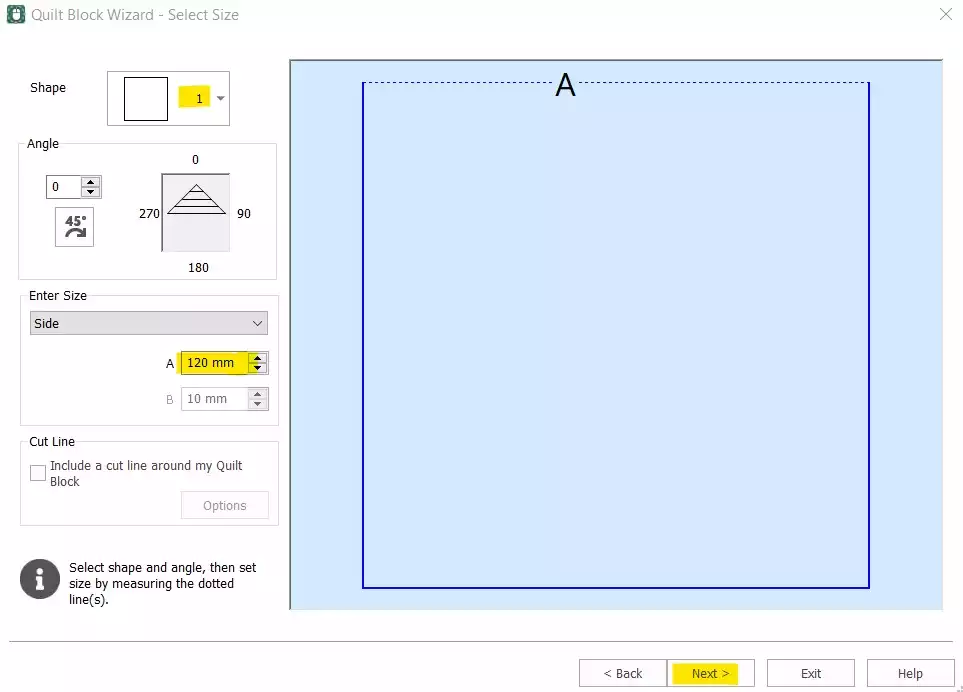
- Select Tvar 1 (čtverec) a nastavte možnost „Strana“ na 120 mmKlikněte Další.
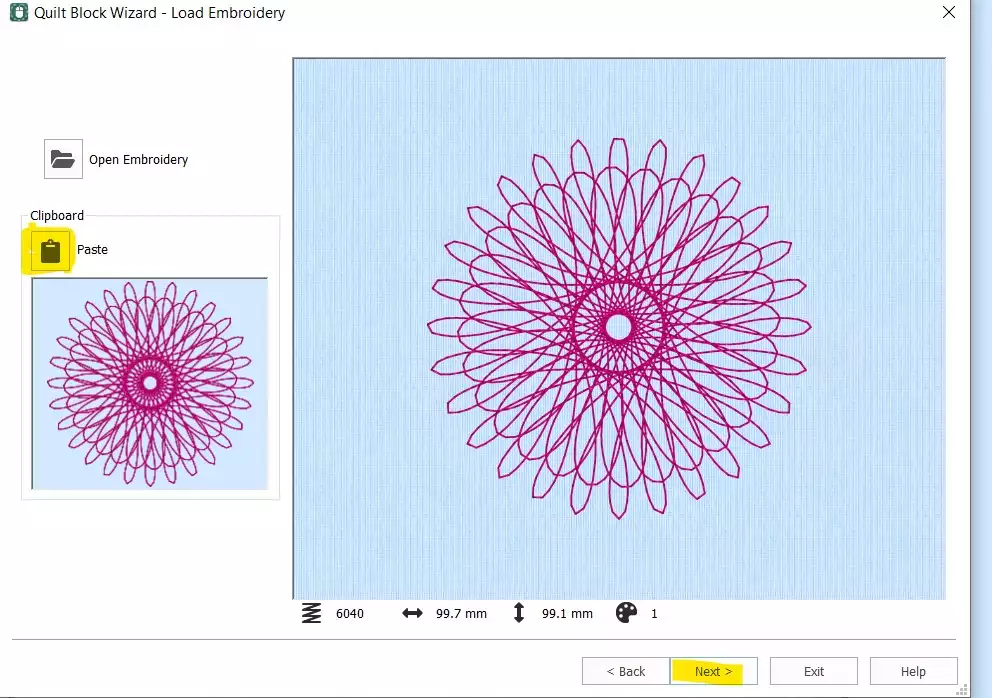
- Klikněte Vložit Chcete-li vložit Spiro ze schránky, klikněte na Další.
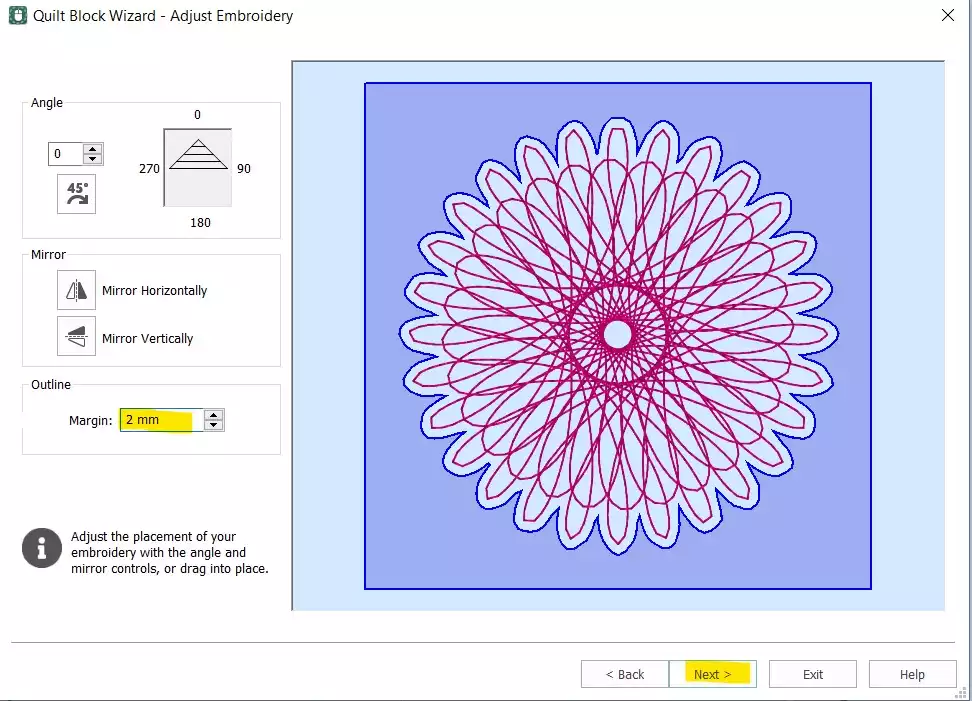
- Nastavte Okraj 2 mmKlikněte Další.
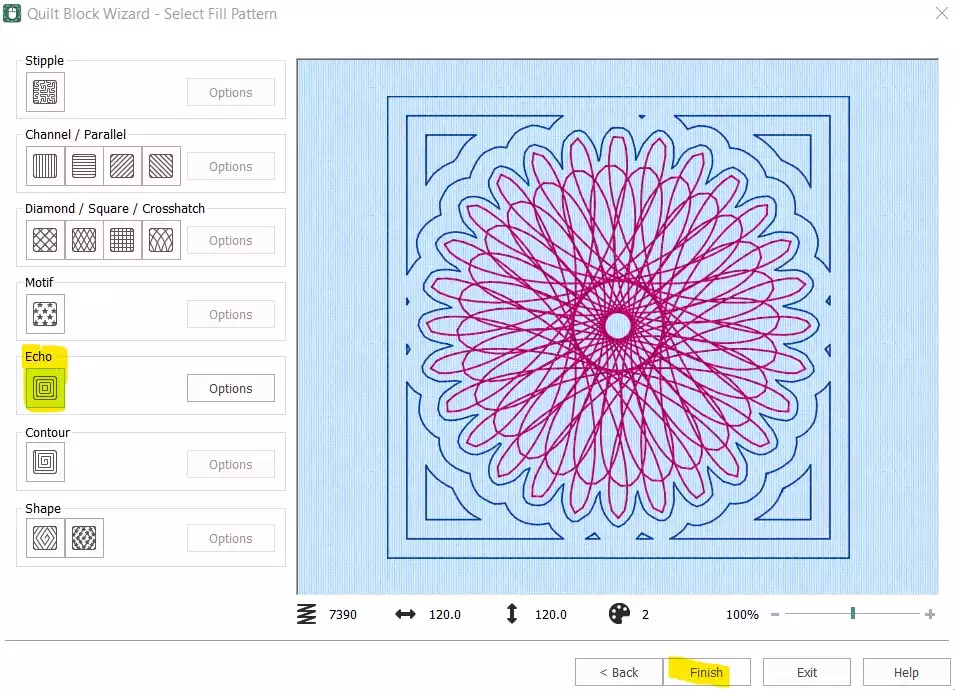
- Select Echo a klikněte na Dokončit.
Uspořádat a dokončit pořadí stehů
- Blok pro patchwork je nyní hotový – je však ještě třeba odstranit původní samostatný prvek Spiro a upravit pořadí stehů, než bude vzor připraven k exportu.
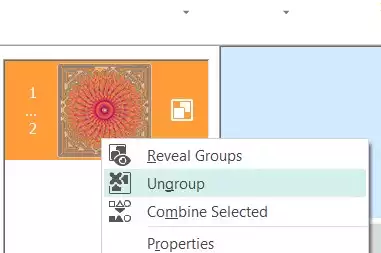
- V sekci „Film Strip“ ( select ) klikněte pravým tlačítkem myši na první barevný snímek (původní Spiro) a vyberte možnost Odstranit. Nyní by vám měl zůstat pouze quiltový blok s vloženým prvkem Spiro. Klikněte pravým tlačítkem myši na prvek „ embroidery “ ve filmovém pásu a select Zrušit seskupení.
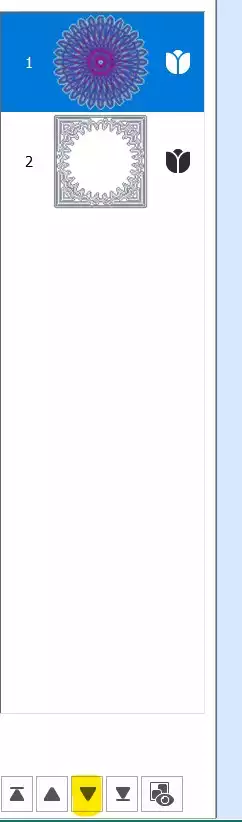
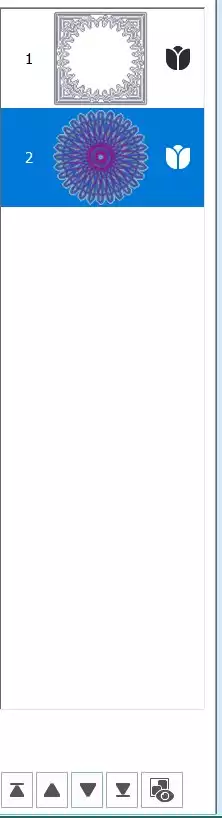
- Select první část (Spiro) a použijte šipka dolů v dolní části filmového pásu, čímž jej posunete v pořadí stehů dolů.
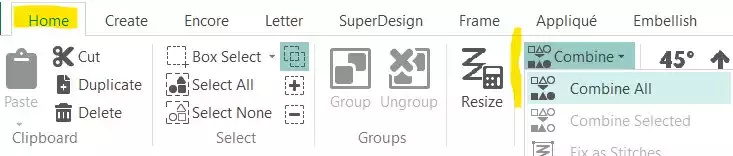
- Přejděte na Karta Domů a klikněte na Sloučit → Sloučit vše.
Uložit a exportovat
- Váš blok Spiro Quilt je hotový. Uložte pracovní soubor a poté jej exportujte do požadovaného formátu – například .vp3.